9 Book Story Ideas for Instagram (That Actually Work)
You finished another book. You loved it. And now you’re staring at your phone with absolutely nothing to post.
Sound familiar? Every bookstagrammer hits this wall eventually. Your feed looks polished, but your Stories feel like an afterthought. Meanwhile, the accounts that keep growing seem to post Stories constantly, and somehow their followers never stop engaging.
Here’s the good news: you don’t need a huge following or fancy equipment to fix this. You just need a stronger set of book story ideas that actually match how the reading community behaves online. Instagram Stories reward consistency and personality, not perfection.
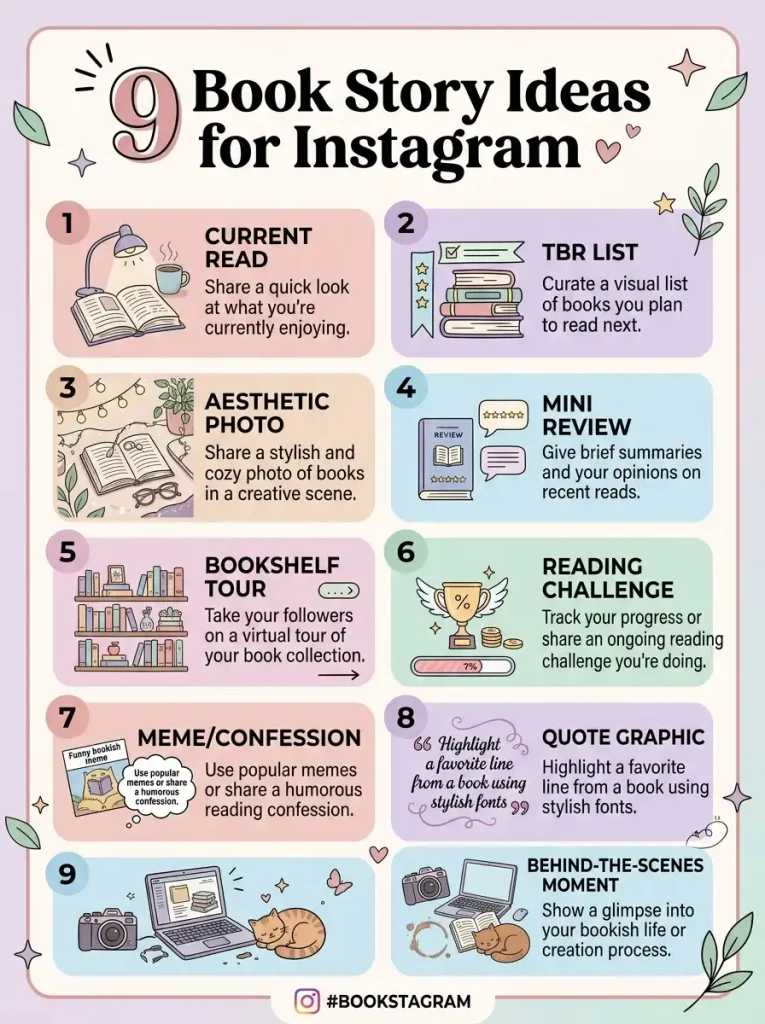
This guide walks through nine tested Instagram Story ideas built specifically for book lovers. Each one includes why it works, how to create it step by step, real examples you can adapt today, and specific engagement stickers to boost your reach. By the end, you’ll have a full week of content ready to go.
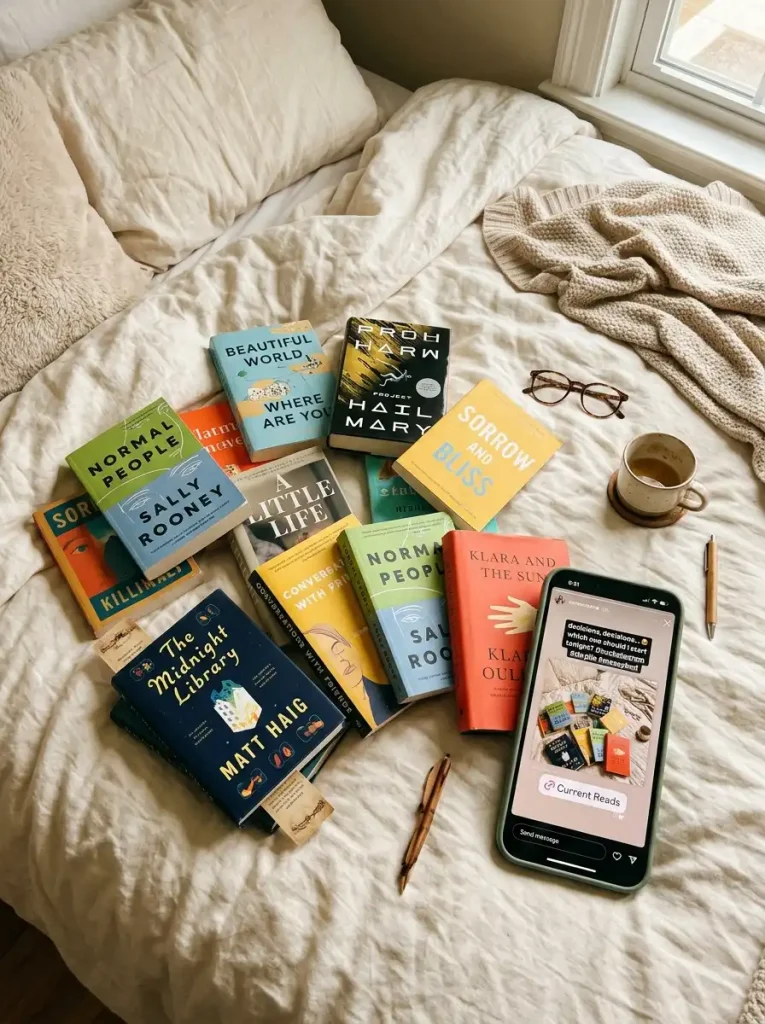
1. Share Your Current Read
Why This Idea Works
Nothing feels more natural for a bookstagram account than showing your current read. Followers who love reading recommendations genuinely want to know what’s on your nightstand. This idea also requires almost no setup, which makes it perfect for busy days.
Consequently, it’s one of the easiest ways to stay visible without overthinking your content. New followers get a quick sense of your taste, and returning followers stay updated on your reading habits. Post this whenever you start something new, or once or twice a week to keep your account active.
Common mistake: Posting a blurry photo with zero context. A cover alone doesn’t tell your audience anything about why you picked the book.
How to Create It
- Photograph your book somewhere with good natural light, like near a window.
- Open Instagram Stories and upload the photo.
- Add a short caption explaining why you chose this book.
- Tag the author or publisher if they have an active account.
- Include a relevant sticker to boost interaction.
Real Examples
Try captions like “Three chapters in and already obsessed” or “Finally starting the book everyone won’t stop talking about.” Both feel personal instead of generic.
Engagement Tips
Add a poll sticker asking “Team physical book or ebook?” Alternatively, use a question sticker asking followers what they’re currently reading.
Pro Tip: Post this idea at the same time each week. Followers start expecting it, which builds a habit loop that keeps your Stories views consistent.

2. Reveal Your TBR List
Why This Idea Works
Your TBR list, or “to be read” pile, gives followers a peek into your future reading plans. This idea works especially well because it invites conversation. People love telling you which book on your list to prioritize.
Additionally, this format helps the algorithm because it encourages replies, and Instagram rewards Stories that generate direct messages. Post this idea at the start of a month or season, when readers naturally plan ahead.
Common mistake: Listing ten books with no visuals. A wall of text loses attention fast on Stories.
How to Create It
- Stack five to seven books you plan to read soon.
- Photograph them from a flat-lay angle for a clean, organized look.
- Add text overlay listing your top picks.
- Use a template app like Canva for a polished layout.
- Save the finished Story to a highlight titled “TBR.”
Real Examples
Try a theme like “My Spooky Season TBR” or “Books I’m Finally Getting To This Summer.” Seasonal framing makes the list feel timely instead of random.
Engagement Tips
Use a quiz sticker asking followers to guess which book you’ll read first. A countdown sticker also works well if you’re building anticipation for a readathon.
Pro Tip: Ask followers to vote on which book you should read next using a poll sticker. Whichever book wins, feature it in your next Story to close the loop.
3. Post an Aesthetic Book Photography Shot
Why This Idea Works
Aesthetic book posts perform well because they’re visually satisfying, even to people who haven’t read the book. Strong book photography stops the scroll, which matters more than almost anything else on Instagram.
This idea also positions your account as a visual brand, not just a review page. As a result, your Stories start feeling cohesive with your main feed instead of separate from it. Post this whenever you finish a shoot for your main grid, since you likely have extra shots to repurpose.
Common mistake: Overcomplicating the setup with too many props. Simple, well-lit compositions almost always outperform cluttered ones.
How to Create It
- Choose a book with a strong, colorful cover.
- Style it with two or three simple props, such as flowers, candles, or fabric.
- Shoot in natural light near a window whenever possible.
- Edit lightly using a consistent filter or preset.
- Post the final shot as a Story with minimal text overlay.
Real Examples
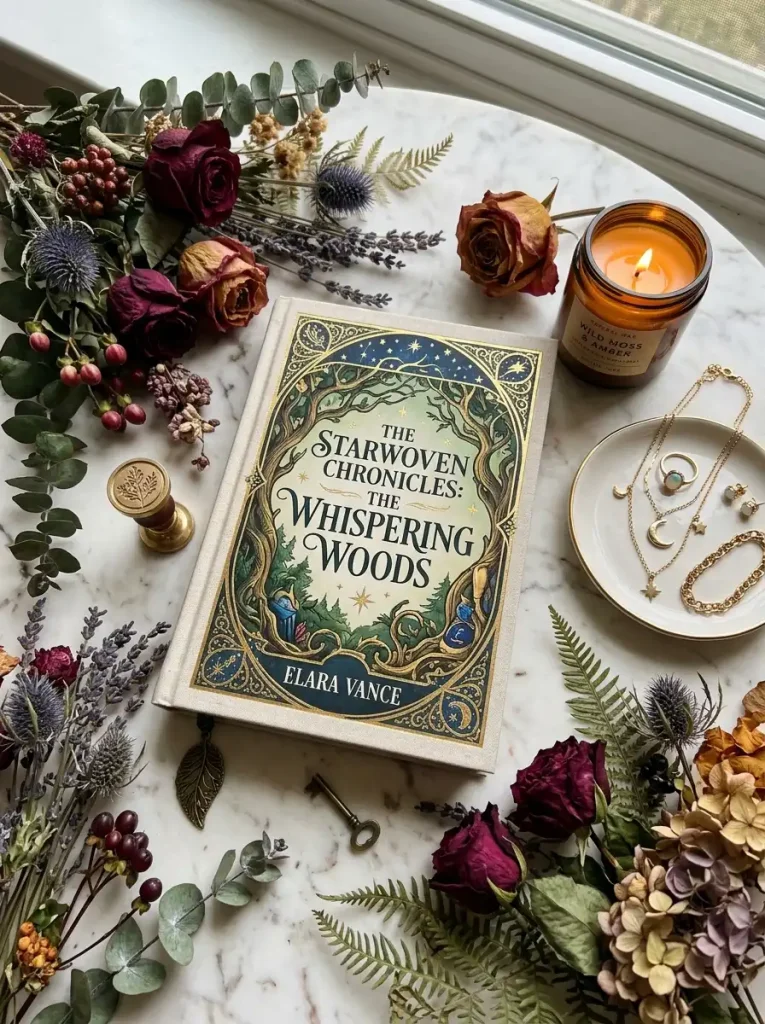
Pair a fantasy novel with dried florals and warm lighting. Pair a thriller with darker tones, moody shadows, and a single dim lamp.
Engagement Tips
Add an emoji slider asking “How obsessed am I with this cover?” Followers enjoy quick, low-effort interactions like sliders.
Pro Tip: Shoot in batches. Set aside twenty minutes to photograph multiple books at once, then space the posts out across the week.
4. Run a Mini Book Review
Why This Idea Works
Full-length book reviews take time, but Instagram Stories allow you to share quick, honest reactions right after finishing a book. Followers trust these mini reviews because they feel spontaneous and unfiltered.
Moreover, this format builds long-term reader trust, since your audience learns your taste over time. They’ll start relying on your reactions before picking their next read. Post this immediately after finishing a book, while your thoughts still feel fresh.
Common mistake: Writing a vague review like “so good!” without explaining why. Specific reactions help followers decide if the book fits their taste too.
How to Create It
- Take a photo of the finished book, ideally closed with a bookmark visible.
- Write two or three honest sentences about your experience.
- Mention the genre, such as romance, thriller, or fantasy, so followers can judge fit.
- Rate it out of five stars using text or emojis.
- Save standout reviews to a highlight for new visitors to browse later.
Real Examples
Try phrasing like “This mystery kept me guessing until the final chapter” or “The romance felt rushed, but the writing stayed beautiful throughout.”
Engagement Tips
Use a poll sticker asking “Would you read this?” Alternatively, add a question sticker inviting followers to share their own thoughts if they’ve already read it.
Pro Tip: Screenshot your mini review and repost it to your main feed later. This turns one piece of content into two separate touchpoints.
5. Create a Bookshelf Tour
Why This Idea Works
Bookshelf ideas fascinate readers because shelves reveal personality. Followers love peeking into how you organize your collection, whether by color, genre, or author.
This idea also builds a stronger emotional connection between you and your audience. In contrast to a single book post, a full shelf tour feels intimate and personal, almost like a home tour. Post this a few times a year, especially after reorganizing or adding new books.
Common mistake: Filming in poor lighting, which makes titles impossible to read. Always double-check visibility before posting.
How to Create It
- Organize your shelf in a way that feels visually pleasing.
- Record a short video panning slowly across the shelf.
- Break the video into multiple Story slides if needed.
- Add captions calling out favorite titles as they appear.
- Include your organization method, such as color-coded or alphabetical.
Real Examples
Try a caption like “Color-coded chaos that somehow works for me” or “My fantasy shelf finally has its own section.”
Engagement Tips
Add a question sticker asking “How do you organize your shelves?” This sparks genuine conversation, since every reader has strong opinions here.
Pro Tip: Highlight one hidden gem during the tour. Followers love discovering lesser-known books tucked between bestsellers.

6. Host a Reading Challenge Update
Why This Idea Works
Reading challenges keep followers accountable, and Stories are the perfect place to track progress. This idea works especially well because it invites your audience to join you, turning a solo habit into a shared experience.
Furthermore, reading challenge updates create natural recurring content. Instead of scrambling for new ideas weekly, you already have a built-in content calendar. Post progress updates weekly or monthly, depending on your challenge’s pace.
Common mistake: Only posting the challenge once, then abandoning it. Consistency matters far more than one flashy announcement.
How to Create It
- Choose a reading challenge, whether a personal goal or a popular community challenge.
- Create a simple tracker graphic showing books completed versus your total goal.
- Update the graphic regularly using Canva or a similar app.
- Share which category or prompt you’re currently working on.
- Invite followers to share their own progress in return.
Real Examples
Try “Book 14 of 50 complete” or “This month’s challenge prompt: a book set on an island.” Specific numbers feel more motivating than vague updates.
Engagement Tips
Use a countdown sticker for challenge deadlines. A poll sticker also works well for choosing which challenge prompt to tackle next.
Pro Tip: Create a dedicated hashtag for your challenge. This makes it easy for followers to find and share their own related posts.
7. Share a Relatable Reading Habits Meme or Confession
Why This Idea Works
Not every Story needs to promote a specific book. Sometimes, the most engaging content simply reflects shared reading habits, like buying more books than you can finish or rereading the same chapter after getting distracted.
This idea builds community because it feels honest rather than promotional. Similarly, relatable content tends to get shared to other people’s Stories, which extends your reach beyond your existing followers. Post this whenever you need a lighter, more personal break from book-specific content.
Common mistake: Using an overused meme format without adding your own voice. Personal captions make generic content feel fresh again.
How to Create It
- Write a short, honest confession about your reading habits.
- Pair it with a simple, bold text graphic or a relevant meme template.
- Keep the tone playful rather than overly polished.
- Post it as a standalone Story slide.
- Encourage shares by asking “Tag someone who does this too.”
Real Examples
Try “I own 47 unread books and bought three more yesterday” or “Currently rereading my favorite chapter for the fourth time.”
Engagement Tips
Add an emoji slider asking “How guilty do you feel about your TBR pile?” This lighthearted format almost always gets high interaction rates.
Pro Tip: Save your funniest confessions to a highlight titled “Real Talk.” New followers love this kind of personality-driven content.
8. Feature a Book Quote Graphic
Why This Idea Works
Book quotes travel far on Instagram because they’re easy to share, easy to relate to, and require no context to enjoy. A striking quote graphic can introduce your account to readers who’ve never heard of the book itself.
As a result, this idea works exceptionally well for growth, since shared Stories introduce your account to entirely new audiences. Post quote graphics after finishing emotionally powerful books, when a specific line still lingers in your mind.
Common mistake: Choosing a quote with no visual appeal or emotional weight. The best quotes feel punchy, even out of context.
How to Create It
- Select a short, powerful quote from your current or recent read.
- Design a clean graphic using Canva or Adobe Express.
- Match the font and color palette to the book’s genre or mood.
- Credit the author and book title clearly on the graphic.
- Post it as a Story, then consider pinning standout quotes to a highlight.
Real Examples
A soft, pastel design suits a romance quote well. A darker, moody design fits a thriller or mystery quote better.
Engagement Tips
Use a poll sticker asking “Does this quote hit different?” Followers enjoy quick emotional reactions to relatable lines.
Pro Tip: Keep a running note on your phone of quotes you love while reading. This way, you’ll never scramble to find one later.
9. Go Behind the Scenes of Your Reading Life
Why This Idea Works
Followers don’t just want book recommendations; they want to know the person behind the account. Behind-the-scenes content, like your reading nook, your commute reading routine, or your late-night reading habits, builds genuine connection.
This idea humanizes your account, which strengthens long-term reader trust far more than polished content alone. Ultimately, people follow people, not just book lists. Post this idea occasionally, whenever you want to remind followers there’s a real reader behind the screen.
Common mistake: Making every post feel like a sales pitch. Behind-the-scenes content should feel unpolished and honest.
How to Create It
- Capture a candid moment from your actual reading routine.
- Avoid overediting; slight imperfection makes this format feel authentic.
- Add a short caption explaining the moment, like “My chaotic Sunday reading setup.”
- Mix in your setup, your pets, or your favorite reading spot.
- Post consistently enough that followers start recognizing your routine.
Real Examples
Try “Reading on my lunch break because I couldn’t put this one down” or “My messy desk, but at least the book is good.”
Engagement Tips
Add a question sticker asking “Where’s your favorite place to read?” This invites followers to share their own habits in the replies.
Pro Tip: Show your face occasionally, even briefly. Accounts that mix in personal moments alongside book content tend to build stronger loyalty over time.

Why Instagram Stories Help Book Creators Grow
Instagram Stories do more heavy lifting than most bookstagram creators realize. First, they boost engagement because they’re quick to consume, which encourages followers to interact daily instead of occasionally.
Next, Stories strengthen community building. Features like polls, quizzes, and question stickers turn passive scrolling into active conversation. Meanwhile, consistent Stories improve visibility, since Instagram’s algorithm favors accounts that post frequently and generate replies.
Trust also builds faster through Stories than through a polished feed alone. Followers see your honest reactions, your messy shelves, and your real reading habits, not just curated perfection. As a result, they’re far more likely to trust your book recommendations.
Finally, all of this feeds directly into algorithm performance. Accounts with strong Story engagement tend to see better reach on their main feed posts too, creating a positive cycle that supports long-term growth.
Best Apps for Designing Book Stories
You don’t need professional design skills to create scroll-stopping Stories. These tools make the process simple, even for beginners.
Canva
Canva remains the easiest starting point for most creators. It offers pre-made templates specifically for book content, along with fonts, color palettes, and layouts you can customize in minutes.
Adobe Express
Adobe Express works well for creators who want polished graphics without a steep learning curve. Its quote templates and brand kit features help keep your Stories visually consistent.
Unfold
Unfold specializes in aesthetic, minimalist templates that suit book photography beautifully. Many popular bookstagram accounts rely on Unfold for their signature clean look.
Mojo
Mojo shines when you want animated text and dynamic transitions. It’s especially useful for TBR reveals or reading challenge updates that benefit from motion.
CapCut
CapCut works best for video-based Stories, like bookshelf tours or reading vlogs. Its editing tools make trimming, captioning, and adding music simple, even for beginners.

Common Mistakes to Avoid
Even great book story ideas can fall flat if a few small habits get in the way. Keep these in mind as you plan your content.
- Posting inconsistently. Sporadic Stories make it harder for followers to build a habit around checking your account.
- Ignoring engagement stickers. Polls, quizzes, and question stickers exist specifically to boost interaction; skipping them wastes easy opportunities.
- Overusing text. Long paragraphs on a Story slide lose readers fast. Keep text short and scannable instead.
- Forgetting to save highlights. Without highlights, valuable content disappears after 24 hours instead of continuing to attract new followers.
- Copying trends without personalization. Generic templates work better once you add your own voice, opinions, and humor.
- Neglecting lighting. Poor lighting makes even great book photography look unprofessional. Natural light almost always wins.
Frequently Asked Questions
How often should I post book story ideas on Instagram? Aim for at least three to five Stories per week. Consistency matters more than volume, so a realistic, repeatable schedule works better than sporadic bursts of content.
What’s the best time to post Instagram Stories for bookstagram? Evenings tend to perform well, since many readers browse Instagram while relaxing or reading. Test a few different times and check your Insights to find what works for your specific audience.
Do I need expensive equipment for book photography? Not at all. A smartphone camera and good natural lighting handle most Story content beautifully. Investment in fancy equipment matters far less than consistent lighting and composition.
How can I grow my reading community through Stories? Focus on interactive features like polls and question stickers. These tools invite followers to respond, which builds genuine two-way conversation instead of one-sided posting.
Should I focus on one genre, like romance books or fantasy books, or mix genres? Either approach works, though niching down into one genre, such as thriller books or mystery books, often helps you build a more targeted, loyal following faster.
How do I keep my Stories from feeling repetitive? Rotate through different formats, like reviews, quotes, shelf tours, and behind-the-scenes moments. Variety keeps your content feeling fresh instead of formulaic.
Can Instagram Stories actually help sell or promote books? Yes, especially with link stickers. Authors and creators often use them to drive traffic toward purchase pages, Goodreads reviews, or preorder campaigns.
What’s the ideal length for a book quote graphic caption? Keep it short, ideally one to two sentences. Longer captions dilute the visual impact that makes quote graphics so shareable in the first place.
How do I handle negative reactions to a book review Story? Stay honest and respectful. Disagreements are normal in the reading community, and thoughtful responses actually build more trust than avoiding criticism altogether.
Is it worth using highlights for these story ideas? Definitely. Highlights extend the life of your best content well beyond 24 hours, giving new visitors an instant snapshot of your account’s personality and taste.
Conclusion
You now have nine practical book story ideas ready to fill your content calendar, from simple current-read updates to full bookshelf tours. Each idea works because it invites your audience into your reading life instead of just broadcasting at them.
Start small. Pick two or three ideas that feel natural, then build consistency from there. Over time, experiment with the rest, track what resonates, and let your reading community guide what you create next.
Your bookshelf already has plenty of stories waiting to be told. Open Instagram, pick one idea from this list, and post your first Story today.